
Linux File System Hunting

I Stopped Using Linux Like a User… and Started Exploring It Like a System
Most of us use Linux like just another operating system — open terminal, run commands, complete tasks, done.
But this time, I tried something different.
Instead of using Linux, I decided to investigate it.
I started digging into its file system — not just folders, but what they actually mean, why they exist, and how they silently control everything happening in the system.
And honestly… it changed how I see Linux.
It no longer feels like an OS.
It feels like a living system where every file has a role to play.
Here are some of the most interesting things I discovered during this Linux hunting exercise 👇
/etc — The Brain Behind System Behavior
If Linux had a “control room,” it would be /etc.
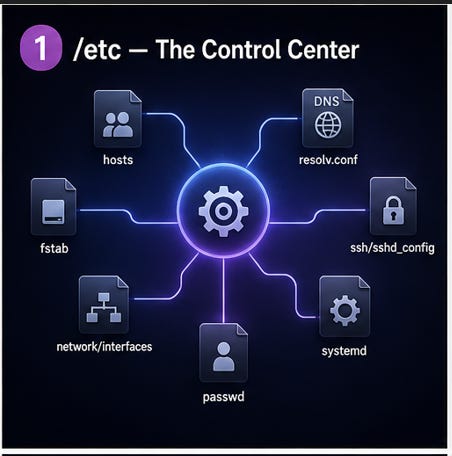
This directory stores configuration files for almost everything — users, passwords, network settings, services, hostname, and more.
Why it exists: To keep all system-level configurations in one place.
What it solves: Instead of hardcoding behavior inside programs, Linux reads settings from files.
What I realized: Linux doesn’t rely on fancy settings panels. It trusts plain text files. That makes the system extremely transparent and customizable.
DNS Looks Simple… Until You Look Closer
At first, DNS seems to live in /etc/resolv.conf — a file that tells Linux which nameserver to use.
But that’s just the surface.
Why it exists: Applications need a standard place to resolve domain names.
What it solves: Converts names like google.com into IP addresses.
What I realized: This file is often auto-managed by network services. So DNS in Linux is not just a file — it’s part of a dynamic system working in the background.
Routing Isn’t Just Configuration — It’s Live Data
I found routing information inside /proc/net/route, and that was surprising.
Why it exists: The kernel exposes network state through virtual files.
What it solves: Helps understand how data leaves your system.
What I realized: Routing is not static. It reflects live decisions made by the kernel. That means Linux lets you observe real-time networking behavior like reading a file.
/proc — A Folder That Doesn’t Actually Exist
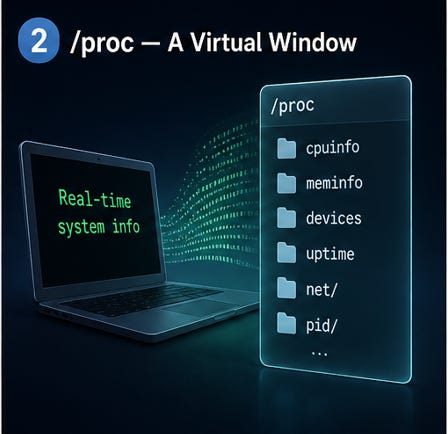
This was one of the coolest discoveries.
/proc looks like a directory, but it’s actually a virtual file system.
Why it exists: To expose internal kernel and system information.
What it solves: Gives access to CPU, memory, and process data.
What I realized: These files are generated on the fly. They don’t exist on disk. Linux is literally turning system state into readable files — which is a brilliant design.
Every Process Has Its Own Identity
Inside /proc, every running process has its own folder (based on PID).
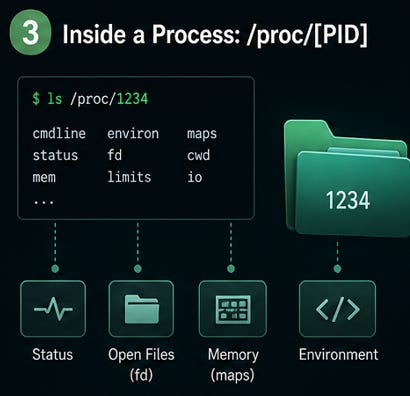
Why it exists: To organize process-related information.
What it solves: Lets you inspect process details like memory, open files, and environment.
What I realized: A process isn’t just something running in the background — it has a structured presence in the file system.
/dev — Where Hardware Becomes Files
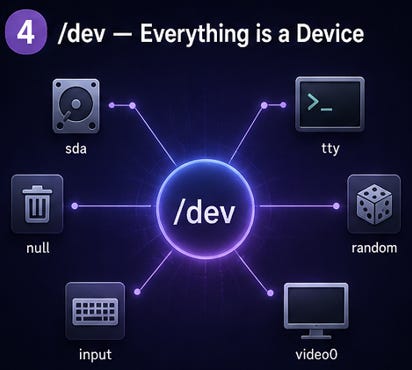
In Linux, devices are treated like files, and they live in /dev.
Why it exists: To standardize hardware interaction.
What it solves: Provides a unified interface for software to communicate with hardware.
What I realized: Whether it’s a disk, terminal, or USB — everything behaves like a file. This keeps the system simple and consistent.
Logs Tell the Story No UI Will Ever Show
The /var/log directory stores logs about system activity.
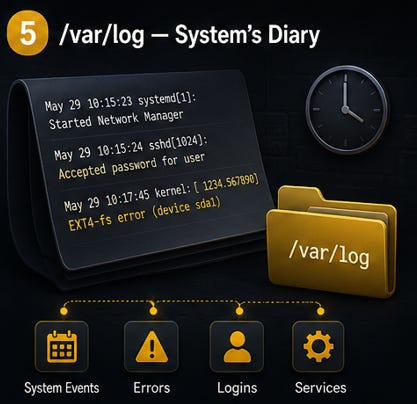
Why it exists: To keep records of events.
What it solves: Helps debug issues and monitor system behavior.
What I realized: Logs are like a timeline. You can trace login attempts, crashes, errors, and even suspicious activity.
/boot — The First Step of Everything
Before Linux even “starts,” it depends on /boot.
Why it exists: To store boot-critical files like the kernel.
What it solves: Ensures the system can load properly.
What I realized: Booting Linux is not a single step — it’s a sequence. /boot is where that journey begins.
Services Don’t Just Start — They Follow Rules
Modern Linux systems use systemd, with configs often in /etc/systemd.
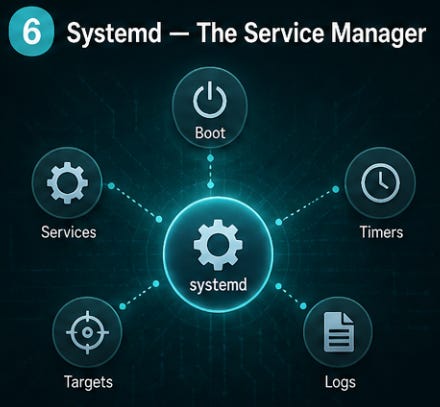
Why it exists: To manage services and dependencies.
What it solves: Controls how and when services start.
What I realized: Services are not random background tasks. They follow structured rules and dependencies, making the system stable and predictable.
Permissions = Security Backbone
File permissions in Linux decide who can read, write, or execute files.
Why it exists: To protect users and system integrity.
What it solves: Prevents unauthorized access and damage.
What I realized: Permissions are not just technical details — they are a core security layer that keeps Linux reliable.
Final Thoughts
The biggest shift for me was this:
Linux is not hiding how it works.
It’s actually showing everything — just through files instead of interfaces.
Directories like /etc, /proc, /dev, and /var/log are not just storage locations…
They are windows into the system’s behavior.
Once you start exploring them, Linux stops feeling complicated —
and starts feeling beautifully organized.
If you’ve only been using Linux, try investigating it once.
You’ll never look at it the same way again.